Eyoyo
Eyoyo USB QR 2D Barcode Scanner, Handheld Wired Bar Code Reader PDF417 Data Matrix for Mobile Payment, Pos System, Supermarket Inventory Management, Plug and Play, Extra Long USB Cable
Couldn't load pickup availability
Overview
- Compatible Devices : Laptop, POS, Tablet
- Power Source : Corded Electric
- Brand : Eyoyo
- Connectivity Technology : USB Cable
- Product Dimensions : 3.1"D x 2.7"W x 6.1"H
About this item
- Affordable & Accurate & Durable Scanner: Help our customers find a reliable barcode scanner to improve your business is our Eyoyo barcode scanner pursuit. Equipped with good scanning performance, a comfortable button, and a solid body, you have no reason to refuse
- Plug and Play, No Software Needed: Plug the USB cable into your computer to start your own business. This Eyoyo USB scanner does not need to install any driver or software. Compatible with Windows, macOS, and Linux systems and works well with common software, such as Quickbook, Word, Excel, Novell, etc. The cable length is up to 1.8M/5.9ft, so you will have more flexibility in using it
- Strong Barcode Decoding Ability: Eyoyo QR barcode scanner with superior decode sensor to scan most of the 1D 2D barcodes from paper or screen, such as EAN13, EAN8, UPC-A, Code128, Code39, Code93, Codabar, Industrial 25, MSI Plessey, PDF417, DataMatrix, Micro QR. Although this is a 2d scanner, the performance is equally good when scanning one-dimensional codes. Whether you need to scan 5 or 5,000 barcodes a day, Eyoyo will decode it with a good performance
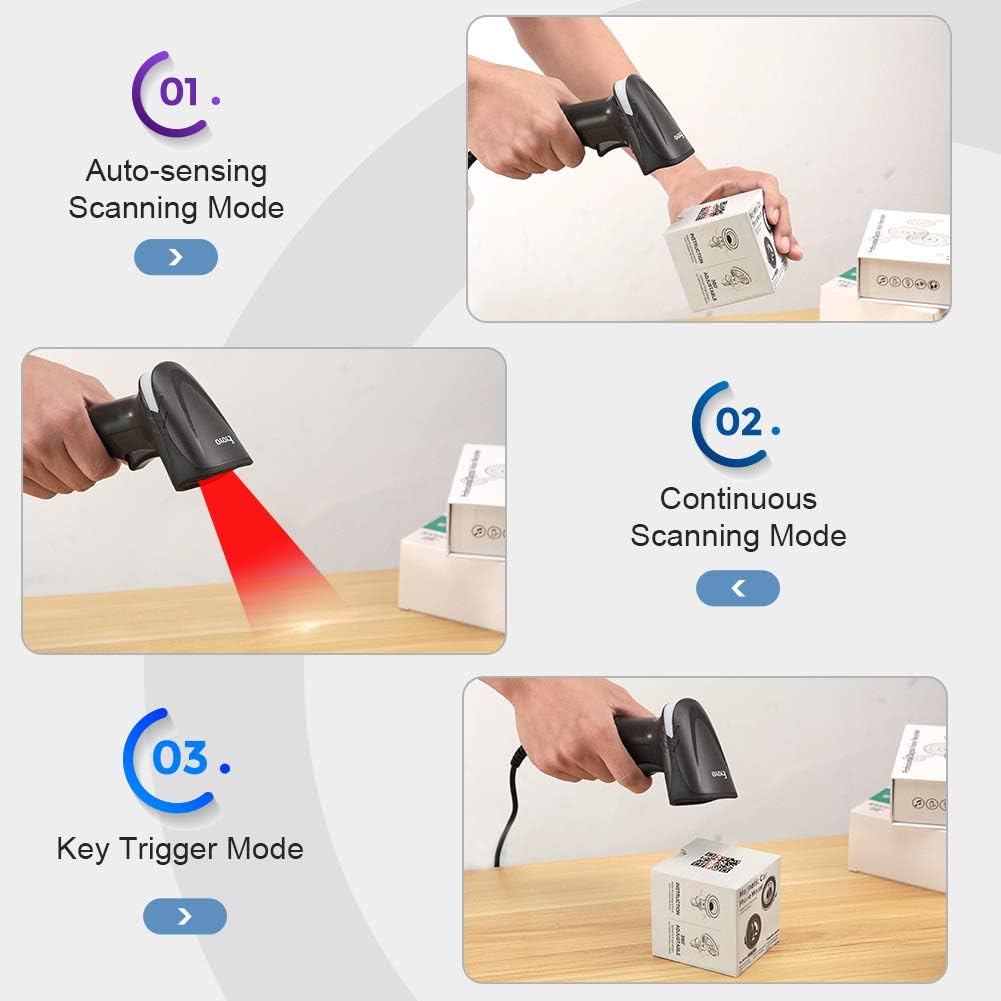
- 3 Types of Scanning Mode: Easily to change the scanning mode between auto-sensing scanning mode, continuous scanning mode, and key trigger scanning mode. The scanner will automatically read the barcode once the barcode is detected, no need to press the button to scan it when you set the scanner in auto-sense or continuous mode. Especially when you need to scan a lot of goods, it will be a better choice for you
- Multiple Configuration Options: This Eyoyo Handheld scanner supports customizing multiple configurations, like adding prefixes/suffixes, deleting characters, turning on/off the sound, adding CR/LF/TAB, etc. It can be widely used for supermarkets, convenience stores, warehouses, and retail shops for file management, inventory tracking and POS(point of sale), etc
Share

Blog Posts
View all-
How the Right Pen Can Improve Your Focus at Work
How the Right Pen Can Improve Your Focus at Work In a modern office environment, focus is one of the most valuable skills. While digital tools dominate many workflows, writing...
How the Right Pen Can Improve Your Focus at Work
How the Right Pen Can Improve Your Focus at Work In a modern office environment, focus is one of the most valuable skills. While digital tools dominate many workflows, writing...
-
The Best Pens and Stationery for Every Office Task
When it comes to office tasks, having the right tools can make all the difference. From taking notes in meetings to color-coding your calendar, the right pens and stationery can...
The Best Pens and Stationery for Every Office Task
When it comes to office tasks, having the right tools can make all the difference. From taking notes in meetings to color-coding your calendar, the right pens and stationery can...
-
How to Organize Your Desk for Maximum Focus
Are you struggling to stay focused and productive at your desk? The key to maximizing your productivity lies in how you organize your workspace. By implementing a few simple strategies,...
How to Organize Your Desk for Maximum Focus
Are you struggling to stay focused and productive at your desk? The key to maximizing your productivity lies in how you organize your workspace. By implementing a few simple strategies,...