Norwii
Norwii N97s TV Screen Presentation Clicker for powerpoint presentations, powerpoint clicker, Presentation Remote, Bluetooth Wireless Presenter, Digital Pointer for TV Screen Under Win/Mac
Couldn't load pickup availability
Overview
- Brand : Norwii
- Special Feature : Annotation/Eraser, Digital pointer for TV screens, Highlight, Magnify and Mouse left click, Key Function Customizable, Metal housing and Silent P+R button Annotation/Eraser, Digital pointer for TV screens, Highlight, Magnify and Mouse left click, Key Function Customizable, Metal housing and Silent P+R button
- Color : Red - BLE&USB-A
- Max Number of Supported Devices : 1
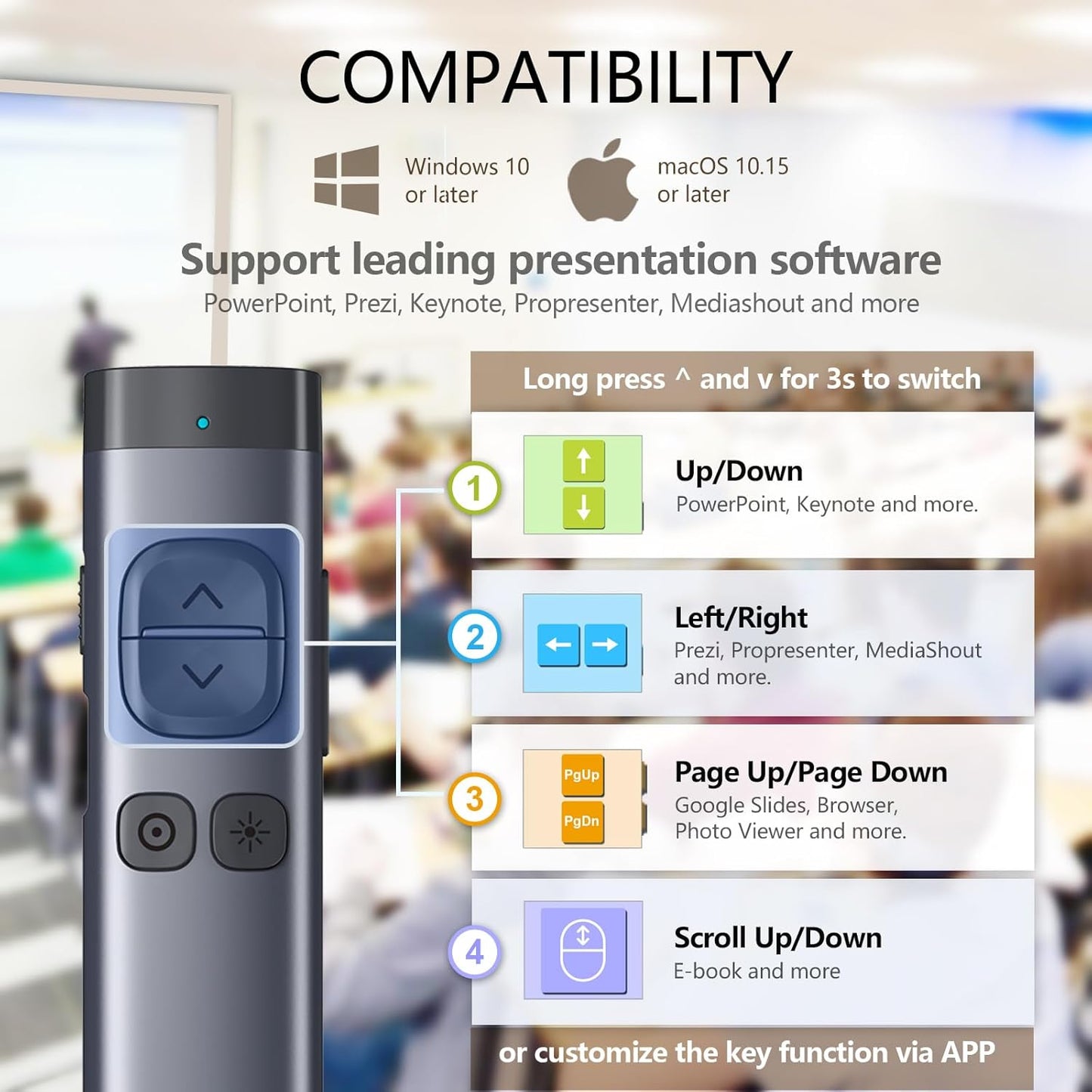
- Compatible Devices : The wireless presenter is compatible with devices operating on Windows 10 or macOS 10.15 and later versions. The digital pointer is designed for use on television screens, while the physical pointer is intended for projection screens. The wireless presenter is compatible with devices operating on Windows 10 or macOS 10.15 and later versions. The digital pointer is designed for use on television screens, while the physical pointer is intended for projection scre… See more
About this item
- Solution to TV screen presentation - Digital Pointer works on both TV screens and projection screens and is enabled via Norwii Presenter software. The presentation clicker is optimized to work with Win7, macOS10.15 or later. Support all leading presentation software including PowerPoint, Prezi, Keynote, Google Slides, Propresenter, MediaShout, Zoom and more
- Mouse-like Cursor Control - Use left mouse click to play and pause videos, open links, and enjoy a range of rich content interaction, only left mouse click, no right and double click
- Highlight and magnify - An advanced digital pointer system can highlight or magnify areas of focus in pixel-perfect detail. These functions are enabled via Norwii Presenter app
- BLE&USB-A Connectivity - Connect to your computer via the low energy Bluetooth or 2.4G USB-A receiver. Switch seamlessly between the 2 by plugging or unplugging the USB receiver. A USB Flash Drive is built into the USB receiver, prestored the Norwii Presenter software
- Metal Housing and Silent Button - the metal housing and the P+R silent buttons give you a comfortable feel and an unparalleled user experience.
- Instant Access to PowerPoint’s Built-in Virtual Pointer – No Installation Required (Only works in Full-Screen Mode on Windows)
Share

Blog Posts
View all-
How the Right Pen Can Improve Your Focus at Work
How the Right Pen Can Improve Your Focus at Work In a modern office environment, focus is one of the most valuable skills. While digital tools dominate many workflows, writing...
How the Right Pen Can Improve Your Focus at Work
How the Right Pen Can Improve Your Focus at Work In a modern office environment, focus is one of the most valuable skills. While digital tools dominate many workflows, writing...
-
The Best Pens and Stationery for Every Office Task
When it comes to office tasks, having the right tools can make all the difference. From taking notes in meetings to color-coding your calendar, the right pens and stationery can...
The Best Pens and Stationery for Every Office Task
When it comes to office tasks, having the right tools can make all the difference. From taking notes in meetings to color-coding your calendar, the right pens and stationery can...
-
How to Organize Your Desk for Maximum Focus
Are you struggling to stay focused and productive at your desk? The key to maximizing your productivity lies in how you organize your workspace. By implementing a few simple strategies,...
How to Organize Your Desk for Maximum Focus
Are you struggling to stay focused and productive at your desk? The key to maximizing your productivity lies in how you organize your workspace. By implementing a few simple strategies,...