Norwii
Norwii N10 Bluetooth Presentation Remote with Stylus Pen for Touch Screen, Advanced Digital Highlighting Presenter Clicker, 50M Range Metal Shell
Couldn't load pickup availability
Overview
- Brand : Norwii
- Special Feature : Rechargeable
- Color : USB-A+BT+Stylus Pen
- Max Number of Supported Devices : 1
- Compatible Devices : Laptop, Personal Computer
About this item
- Applicable scope - ①Write smoothly on touch screen or interactive electronic blackboard with stylus pen without lag and delay. ②For LED/TV display.The advanced digital pointer system allows you to precisely highlight or magnify areas of focus. ③Work with Windows 7, Mac OS 10.15 or later, and all leading presentation software including PowerPoint, Keynote, PDF, Google Slides, and Prezi
- Dual connectivity - Connect to your computer via low energy Bluetooth or USB receiver. Switch seamlessly between the 2 by plugging or unplugging the USB receiver
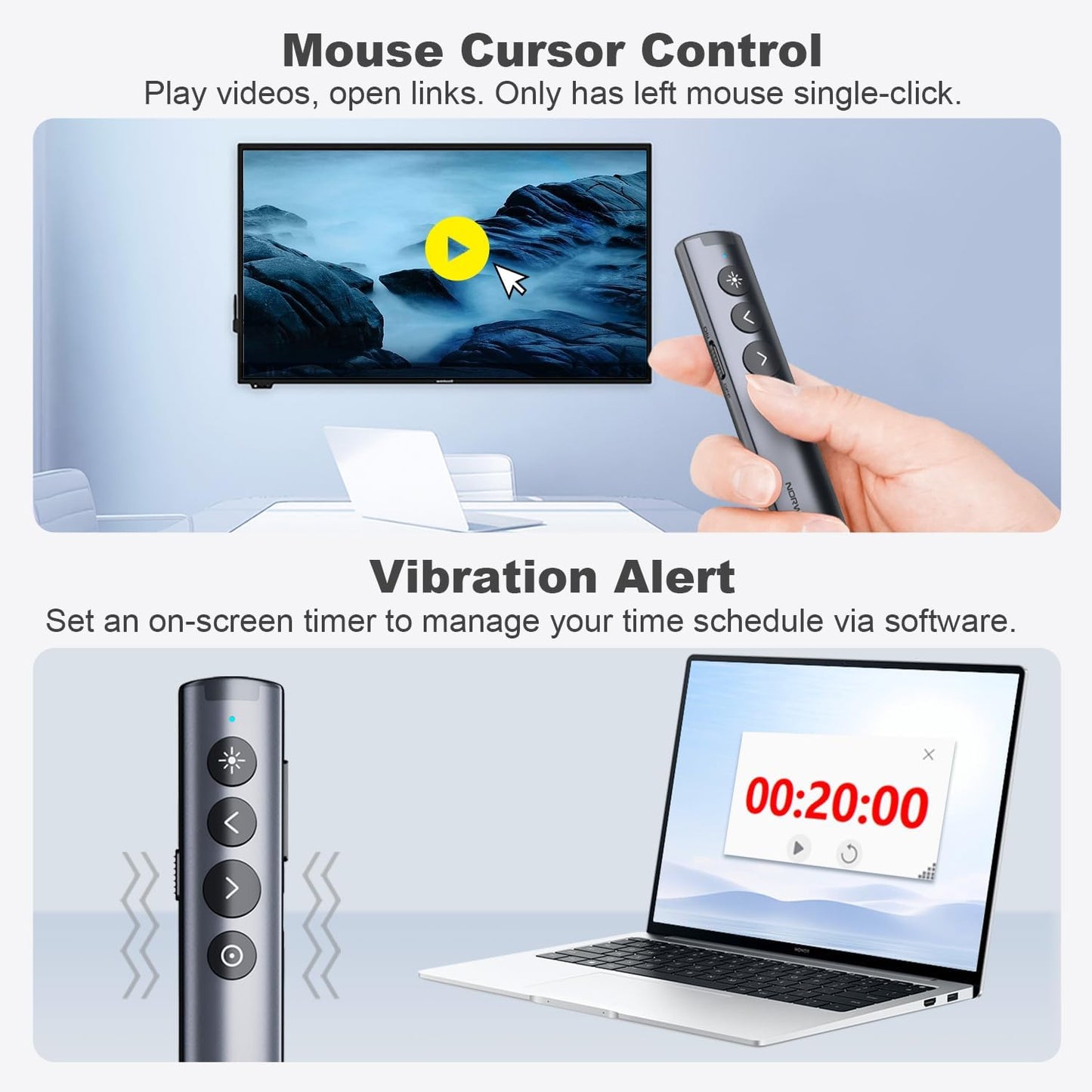
- More Powerful Functions - ①Highlight and magnify on screen . ②Control the cursor in the air to play and pause videos, open links, and enjoy a range of rich content interaction. It helps you easily catch the audience’s eyes
- Customizable - ① The size, color, and contrast of the Digital Pointer can be customized in the Norwii Presenter APP. ② Digital Pointer can be customized with cartoons/logos or any pattern you like in the APP. ③You can also customize the function definitions of certain keys in the Norwii Presenter app
- Smart time management - The presentation remote vibrates five minutes before the end of your presentation and again when your time is fully up. Enable and Track presenting time and customize vibration alerts in the Norwii Presenter APP. You can see the timing situation in the presenter view
- Instant Access to PowerPoint’s Built-in Virtual Pointer – No Installation Required (Only works in Full-Screen Mode on Windows)
Share

Blog Posts
View all-
How the Right Pen Can Improve Your Focus at Work
How the Right Pen Can Improve Your Focus at Work In a modern office environment, focus is one of the most valuable skills. While digital tools dominate many workflows, writing...
How the Right Pen Can Improve Your Focus at Work
How the Right Pen Can Improve Your Focus at Work In a modern office environment, focus is one of the most valuable skills. While digital tools dominate many workflows, writing...
-
The Best Pens and Stationery for Every Office Task
When it comes to office tasks, having the right tools can make all the difference. From taking notes in meetings to color-coding your calendar, the right pens and stationery can...
The Best Pens and Stationery for Every Office Task
When it comes to office tasks, having the right tools can make all the difference. From taking notes in meetings to color-coding your calendar, the right pens and stationery can...
-
How to Organize Your Desk for Maximum Focus
Are you struggling to stay focused and productive at your desk? The key to maximizing your productivity lies in how you organize your workspace. By implementing a few simple strategies,...
How to Organize Your Desk for Maximum Focus
Are you struggling to stay focused and productive at your desk? The key to maximizing your productivity lies in how you organize your workspace. By implementing a few simple strategies,...